Walled off by space
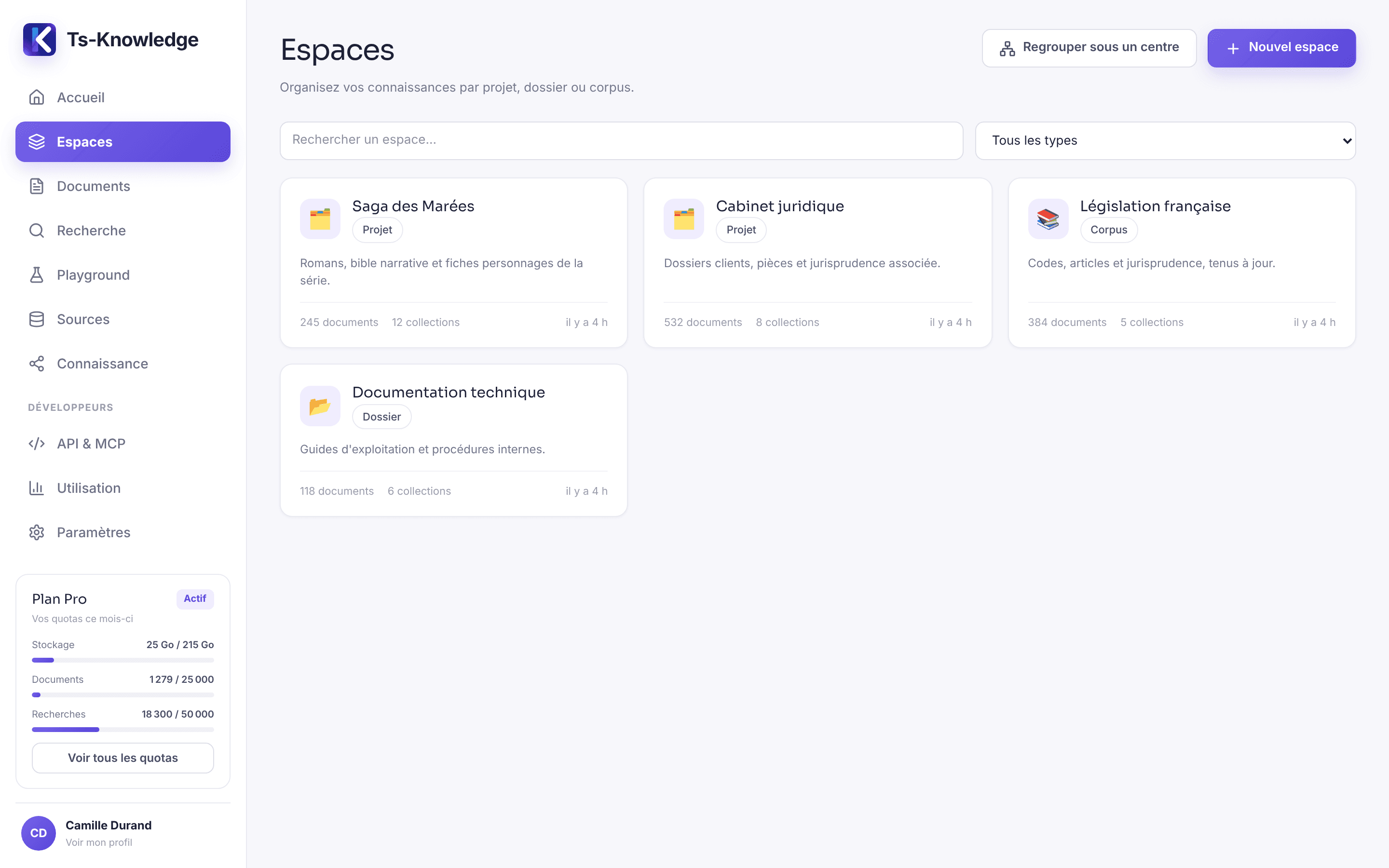
Organization, project, case file, corpus: each space has its own documents and permissions. An API key only sees what you've opened to it.
RAG · Structured knowledge · Knowledge Snowflake · MCP
Ts-Knowledge indexes your documents so your AI can find the right passage, extracts the people, facts, relationships and events they contain — each with its evidence — and makes it all available to Claude, ChatGPT, Gemini or Mistral through an MCP server.
No LLM lock-in. Your corpus stays yours — and so do your model keys.
Screens shown with the French interface.
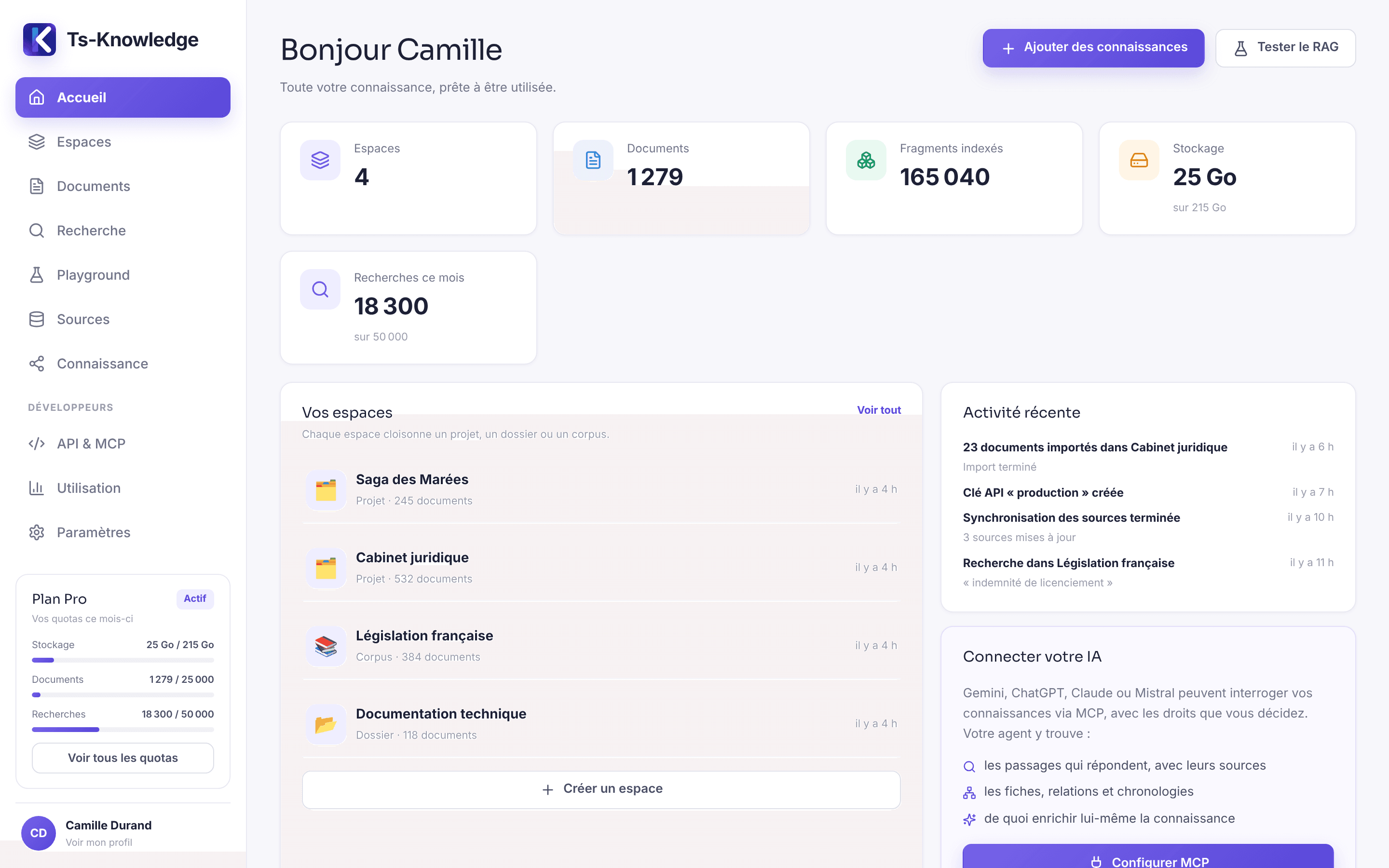
This isn't yet another chatbot. Ts-Knowledge does the work your AI can't do on its own: know what your documents contain, prove it, and serve it up under the permissions you've set. Writing the answer is left to the AI you've already chosen.
1 · Find
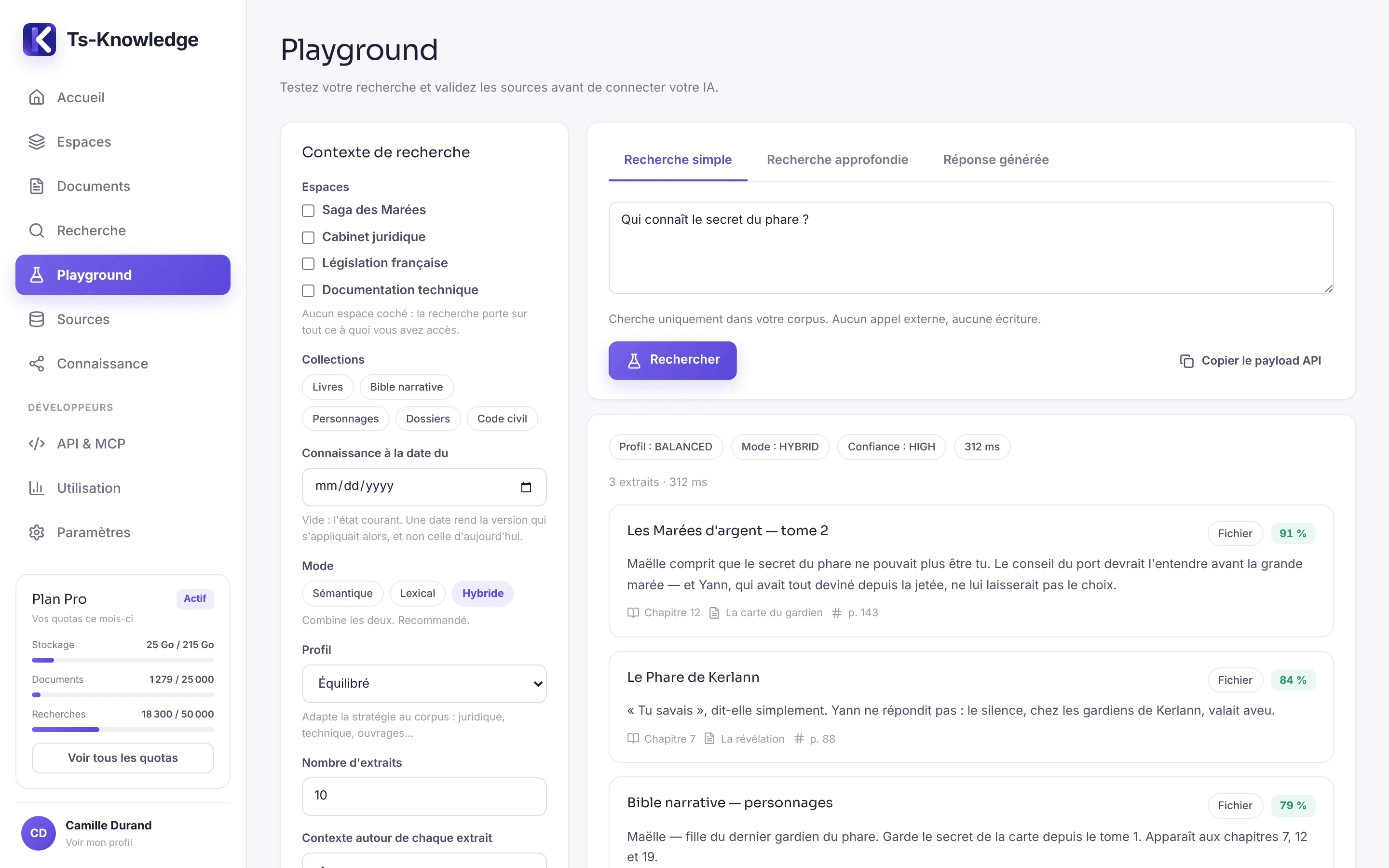
The foundation of the product: retrieval-augmented generation (RAG) that finds the right passage — and can always tell you where it came from.
Organization, project, case file, corpus: each space has its own documents and permissions. An API key only sees what you've opened to it.
Meaning and exact wording, fused: a plain-language question and an article number both find their passage.
Title, chapter, page, article, source URL: every excerpt arrives with what you need to verify it — not just a blob of concatenated text.
Relevance is measured, not inferred from a rank: it compares from one search to the next, and can be thresholded on the client side.
When the corpus doesn't hold the answer, it says so instead of returning its nearest neighbors — which is what keeps your agent from making things up.
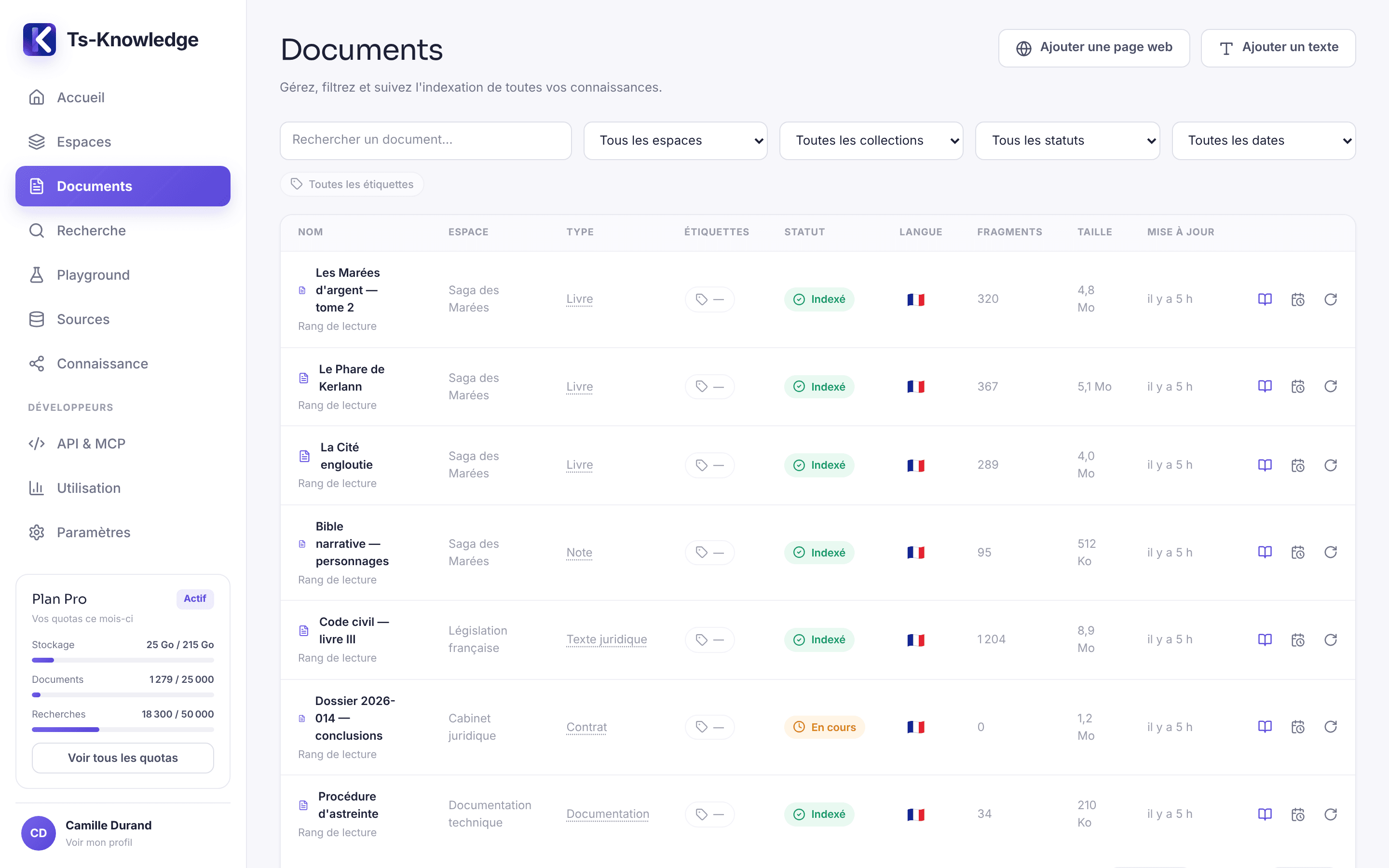
PDF, DOCX, Markdown, HTML, plain text — split along chapters, articles and paragraphs, never in the middle of a sentence.
The Playground shows raw retrieval: the passages selected, their relevance, their citation — chapter, section, page. Before you connect an agent, you already know whether your corpus has the answers.
2 · Understand
A search returns passages. Some questions call for more: which characters know the secret?, in what order did the events of Book 2 happen?, where do two chapters contradict each other? Ts-Knowledge reads your documents and draws out what they assert — entities, facts, relationships, events — keeping, for each one, the passage that proves it. It's a second layer, derived from the corpus, that adds to search without ever replacing it.
A character, a place, a department, a party to a case: the profile gathers everything your documents say about it, organized by theme, with the number of passages supporting each value.
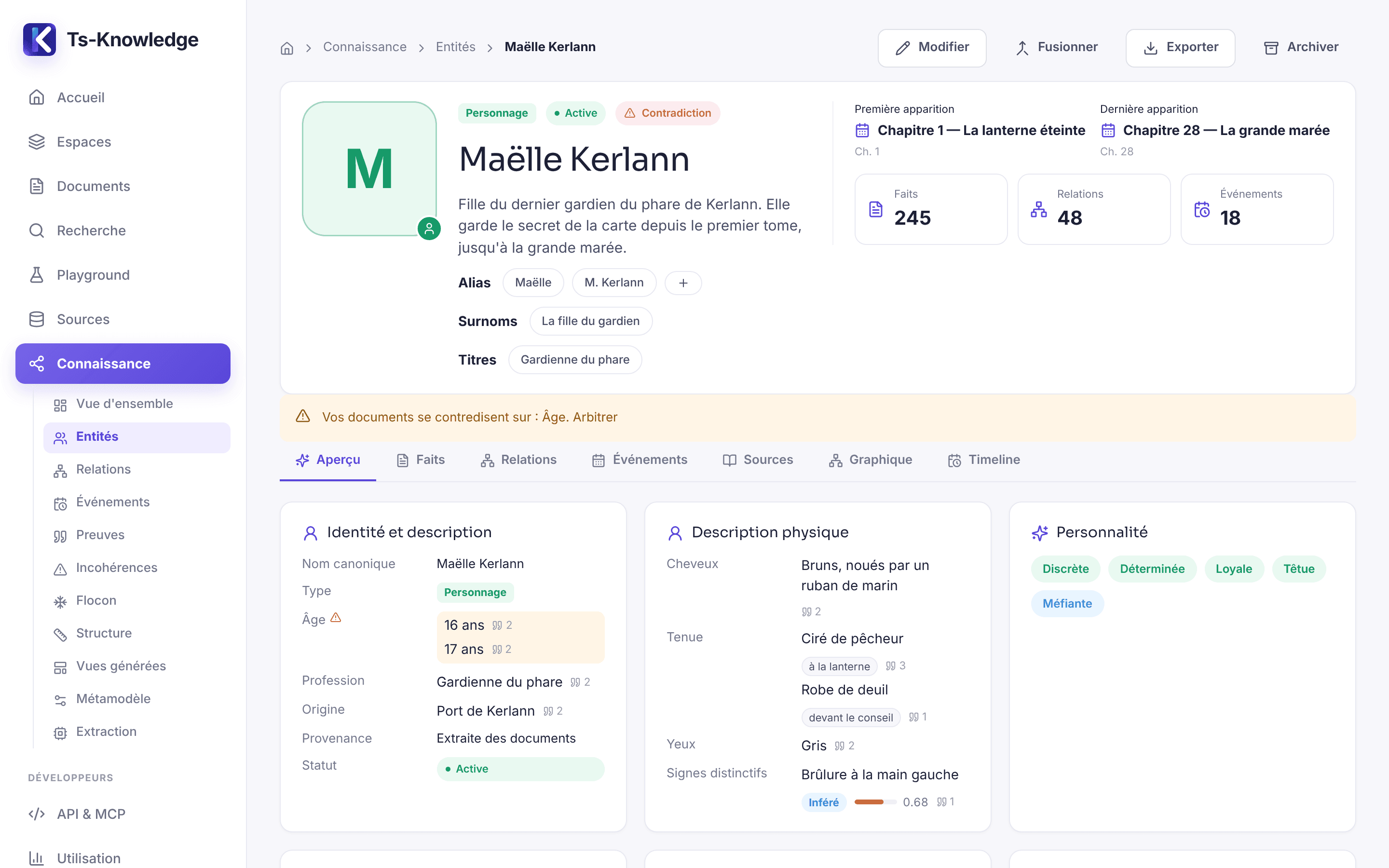
Characters, places, organizations, objects — or whatever your field calls them: the vocabulary is configured per space.
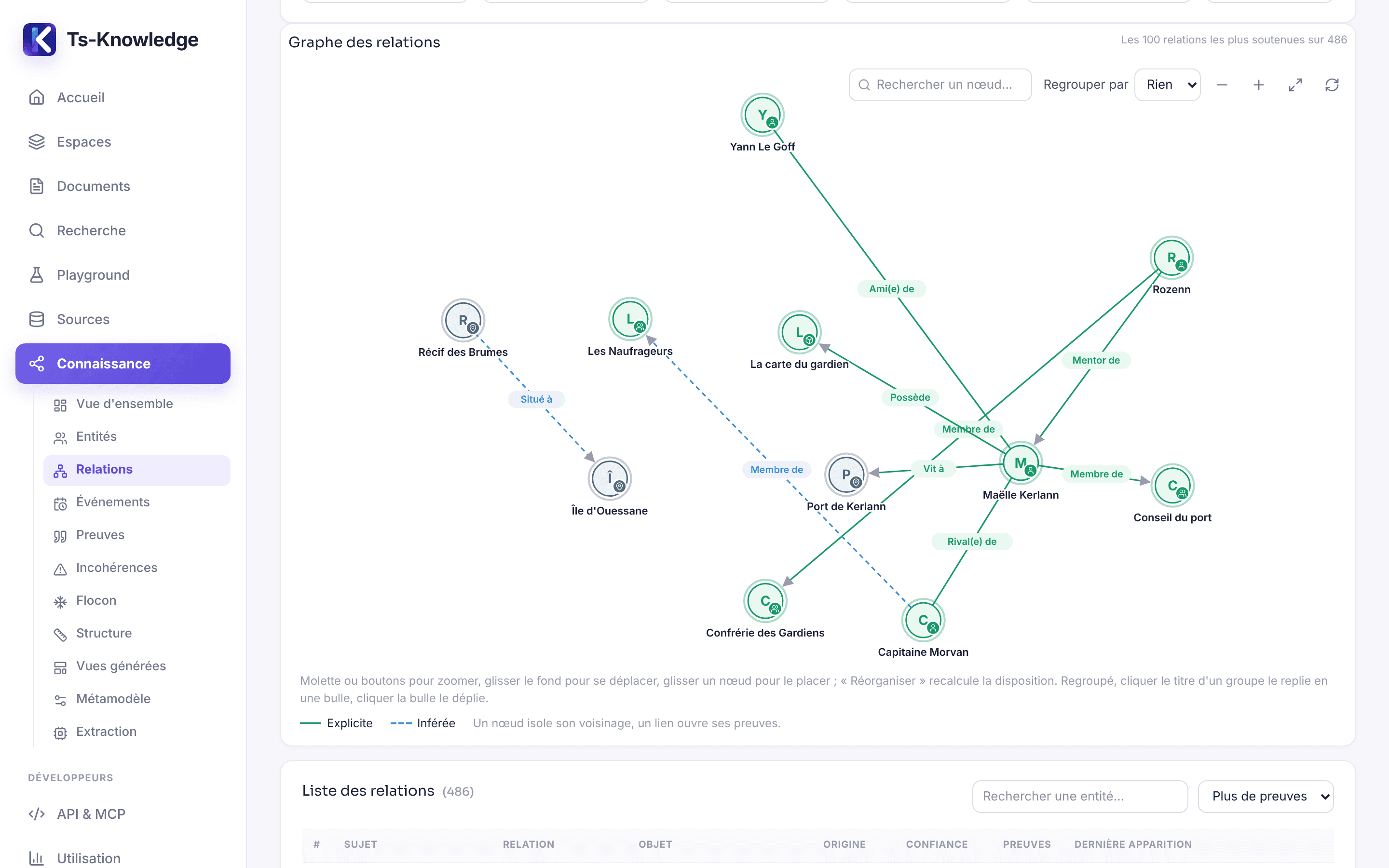
Who is whose friend, mentor or rival, in a graph you can navigate. Every link opens onto the passages that establish it.
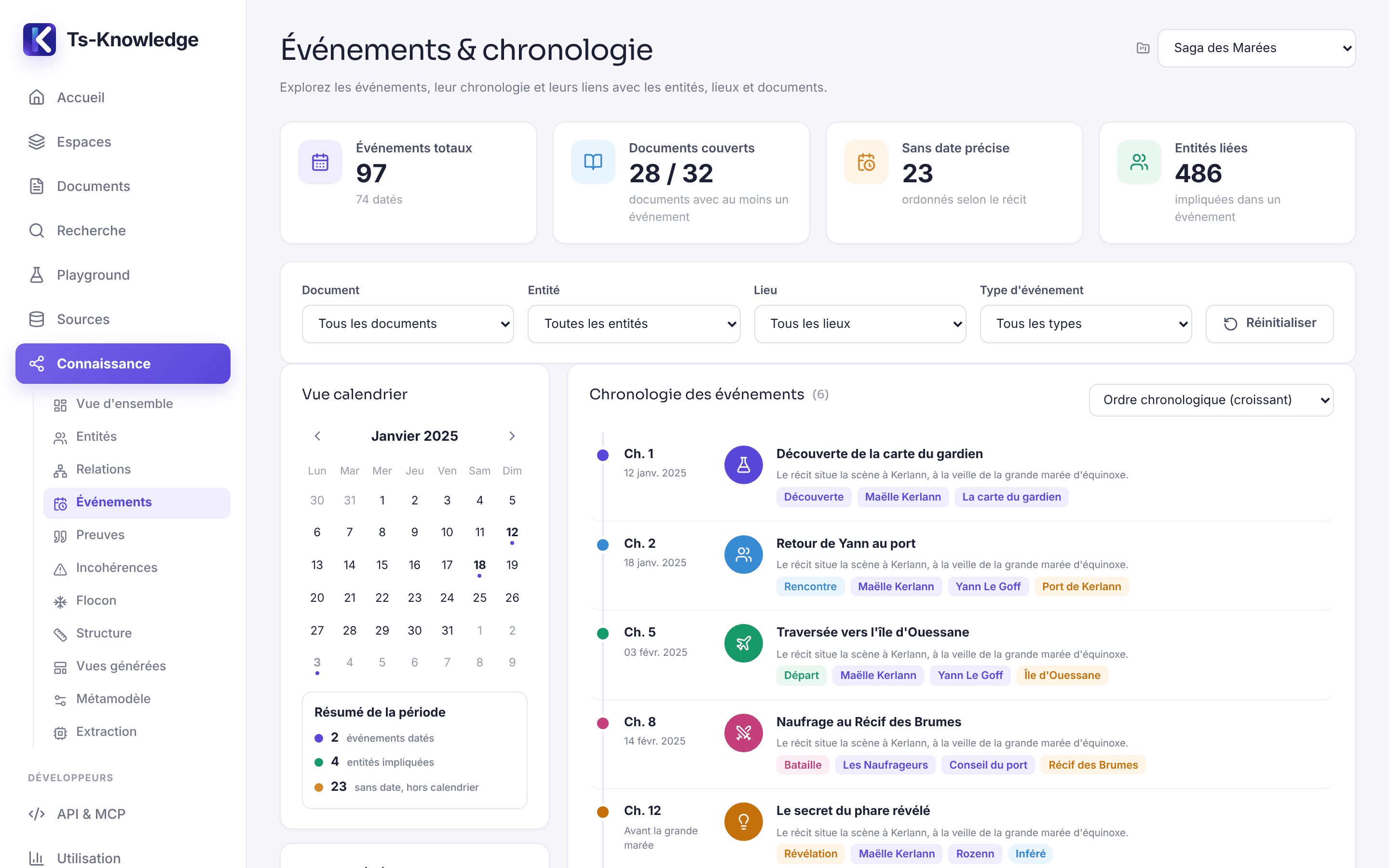
Events, dated or ordered by the narrative, with their participants and the document where they take place.
Two values that can't both be true — same context, same period — are flagged and ranked by severity, never settled on your behalf.
New · the Knowledge Snowflake
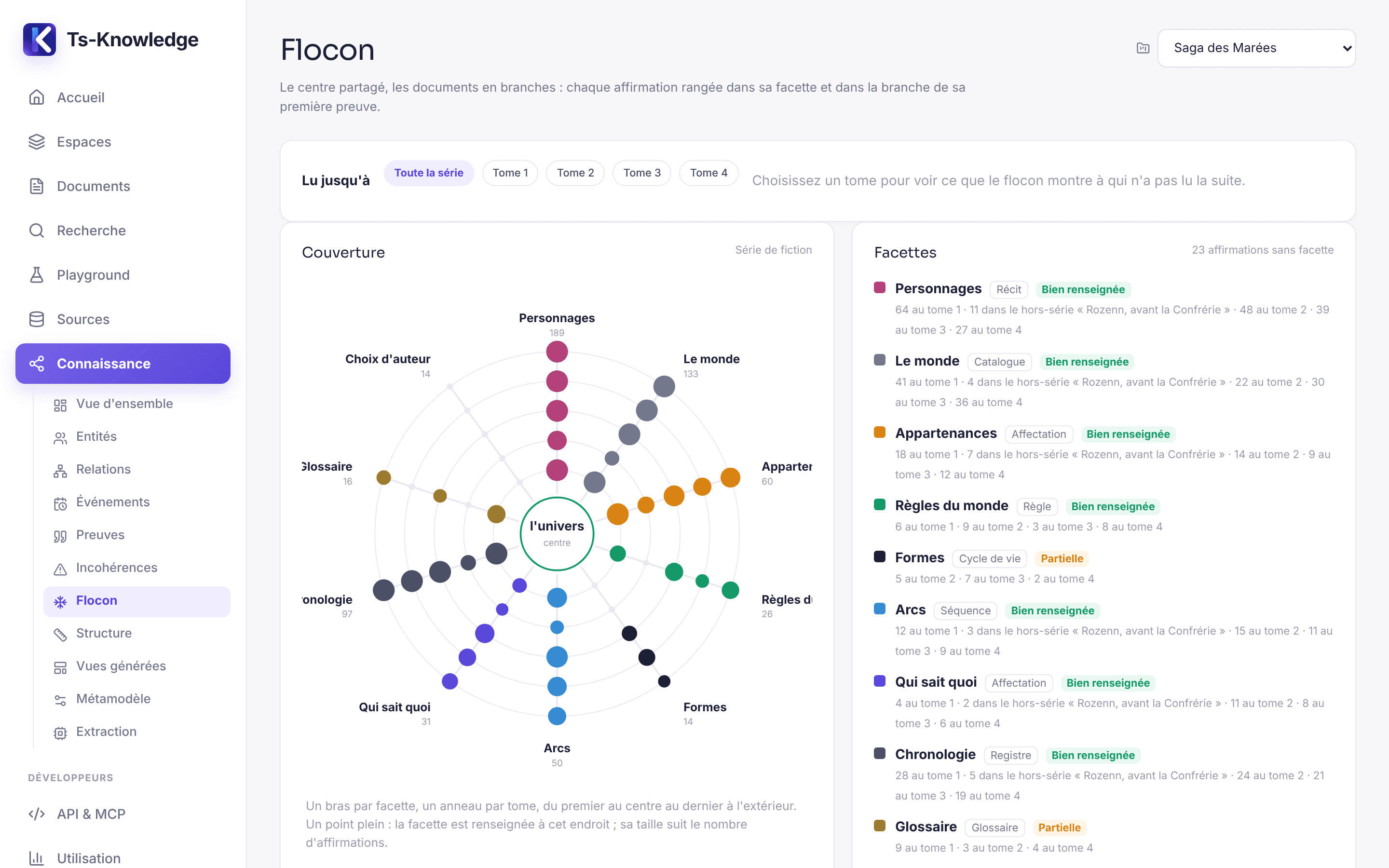
Two hundred characters, four books, a side story, world rules and secrets not everyone knows yet: past a certain size, no list is enough. The Knowledge Snowflake — the “Flocon” screen in the app — arranges all of a project's knowledge into facets, book by book, and shows you at a glance what's solid — and what's missing.
Characters, the world, affiliations, world rules, forms, arcs, “who knows what”, timeline, glossary, author's choices: each facet becomes an arm of the Snowflake, each book a ring. The bigger the dot, the more that book has to say.
The Snowflake graph colors each link by facet: who loves whom, who belongs to which clan, who knows which secret. Zoom, pan, and group by facet, by type or by book.
get_knowledge_flake gives it the project's map — where to look, and what's missing — before its very first search.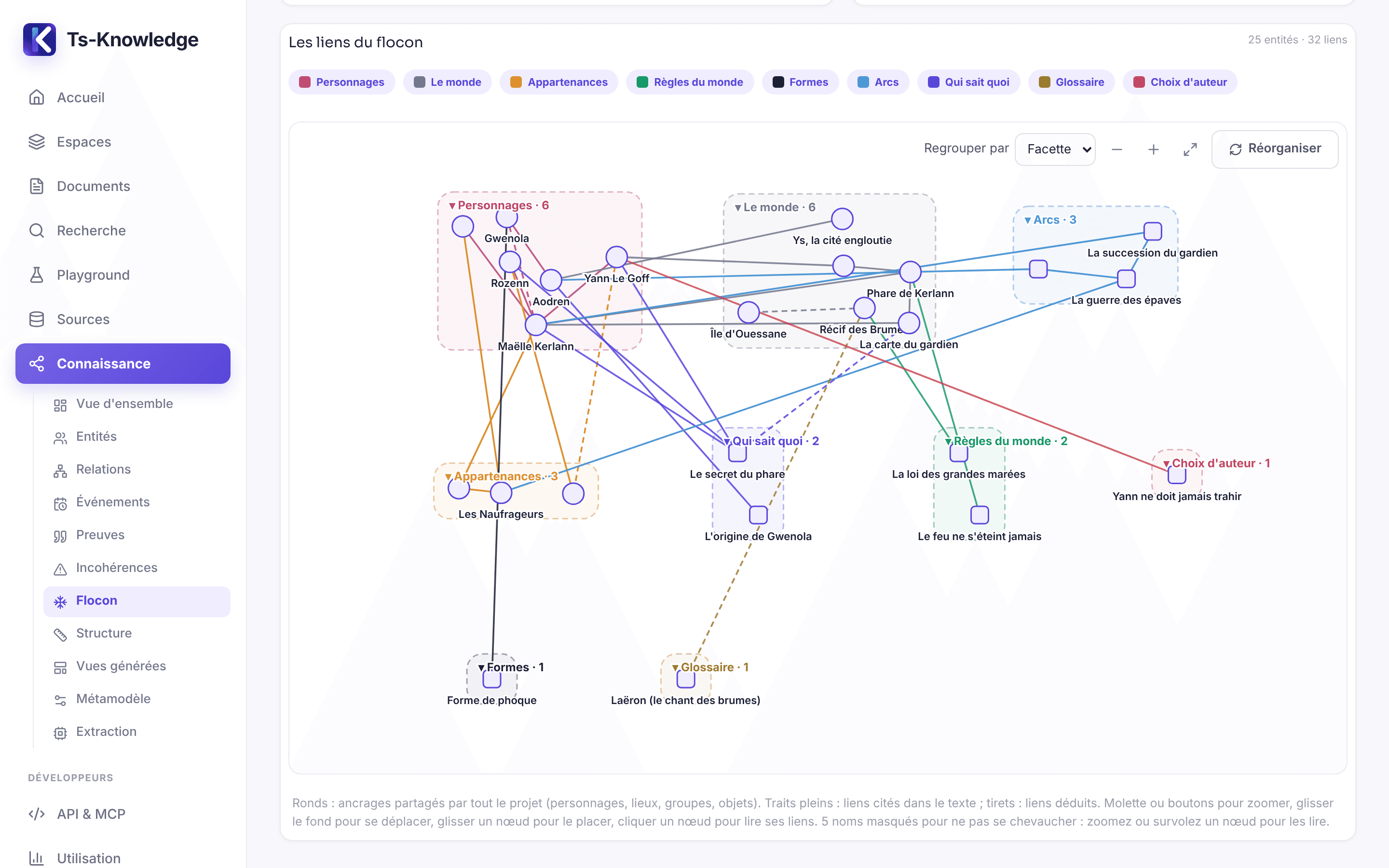
Books, side stories, notes and drafts from the same universe: your series bible, kept up to date on its own with every chapter you import.
Business objects, processes, rules, decisions, systems: the same Snowflake maps out an online store or a department, stage by stage.
The reading limit bounds everything: excerpts, entities, facts, links and names. When in doubt, the Snowflake stays silent.
Knowledge extracted by an AI is only worth something if you can tell where it came from. Four rules govern this layer, and none of them can be switched off.
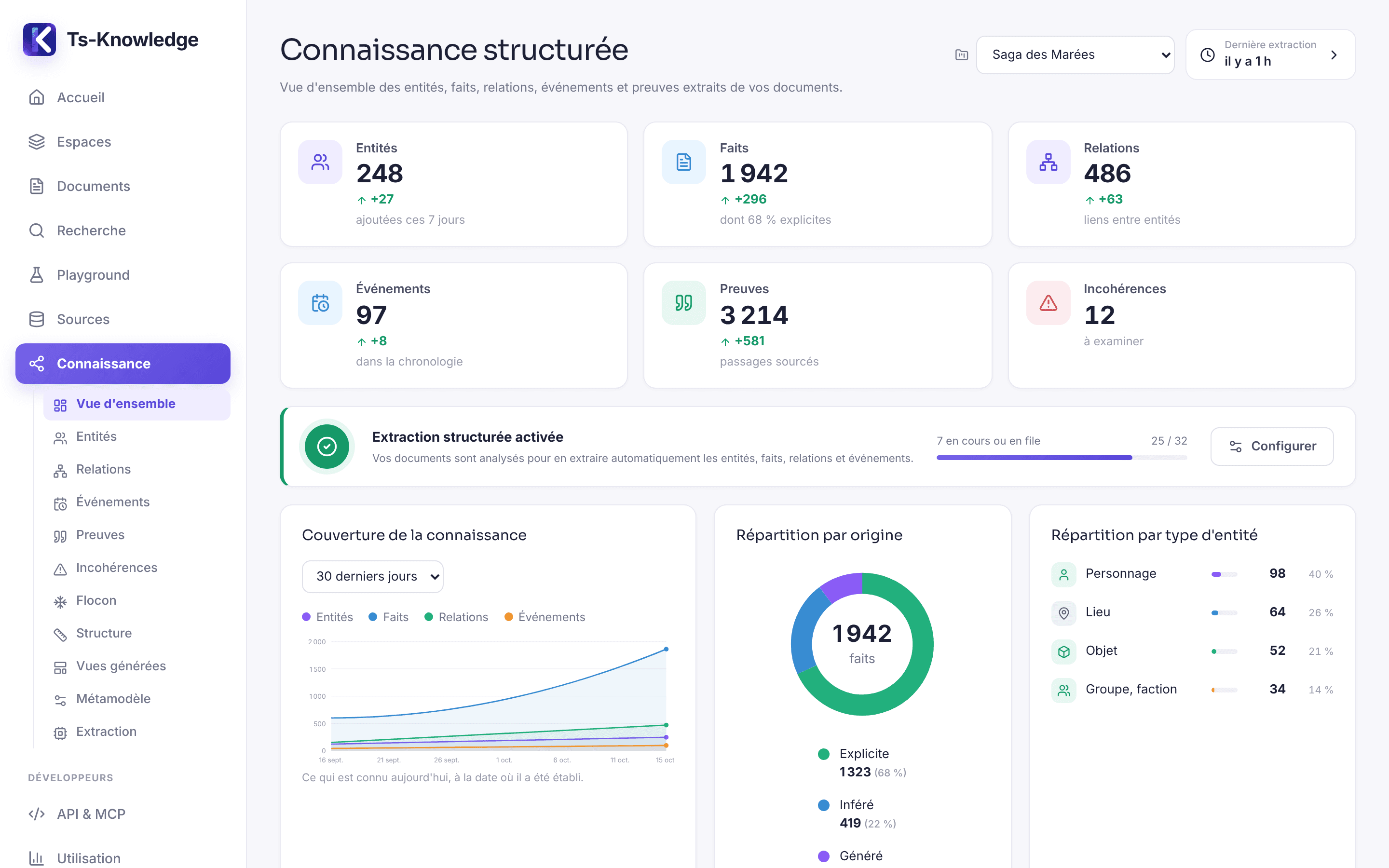
Turn on extraction for a space: every imported document is read in the background by the model you've connected, with your key and on your account. Search never waits for extraction.
Your agent can do the reading itself: the server hands it the instructions, the space's vocabulary and the text, then re-checks everything it proposes — under exactly the same rules.
Off by default, enabled space by space. The vocabulary starts from a template — generic, book, software, legal, e-commerce — and adapts to your field.
3 · Connect
The MCP server is Ts-Knowledge's primary interface. Everything the app offers, your agent finds as tools: search, read, explore the structured knowledge — and even enrich it. The model that writes the answer remains yours.
Who knows the lighthouse secret, and since when?
get_knowledge_flakeSaga des Marées · read up to Book 210 facets · “Who knows what”: 13 statements, 2 secretssearch_knowledge“lighthouse secret” · Saga des Marées3 excerpts · Book 2, ch. 12, p. 143 · Book 1, ch. 3, p. 21 · …get_knowledge_entityMaëlle Kerlann245 facts · friend: Yann Le Goff · mentor: Rozenn · 1 contradictionMaëlle has kept the secret ever since her father entrusted her with the keys to the lighthouseBook 1, ch. 3, p. 21. Yann guessed it from the jettyBook 2, ch. 12, p. 143. The books disagree on how old she was at the time (16 or 17).
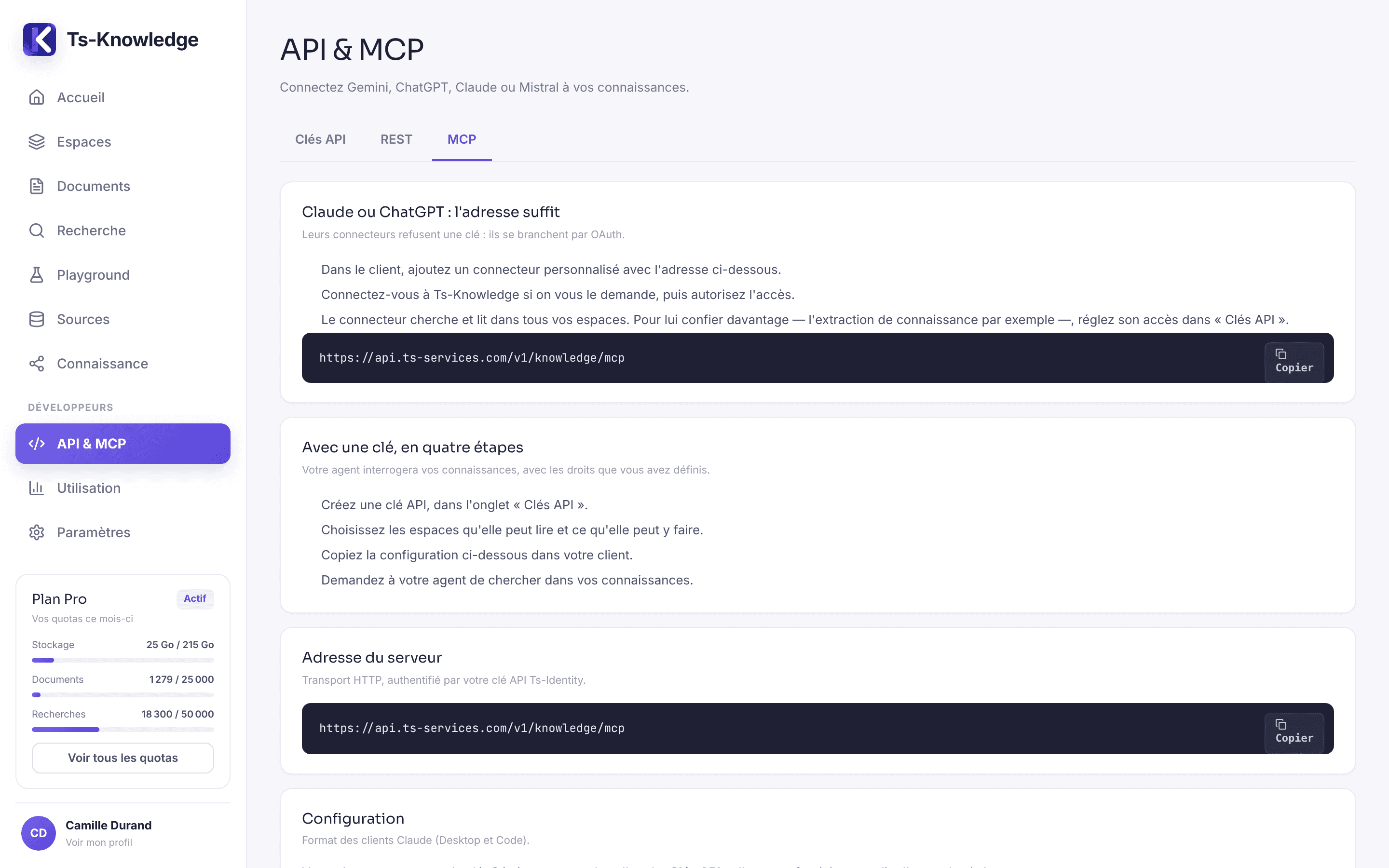
report_used_chunks2 excerpts were usedlist_knowledge_spacesthe spaces open to the keylist_knowledge_collectionsthe collections in a spacelist_knowledge_labelslabels, to narrow the scopelist_knowledge_documentsdocuments and their statussearch_knowledgethe relevant passages, with their citationsresearch_knowledgeand, when the corpus falls short, your connected sourcesget_knowledge_documenta document and its metadataget_knowledge_chunkan excerpt and its immediate contextget_document_outlinethe outline of a long documentlist_knowledge_entitiescharacters, places, services, articles…get_knowledge_entitythe profile: facts, relationships, eventsget_entity_relationswho is linked to whom, and howget_knowledge_flakea project's map: its facets, book by book, and what's missingget_entity_evidencethe passages that prove itlist_knowledge_conflictsthe project's inconsistencies, with values and evidence side by sidelist_knowledge_extractionshow far the reading of each document has progressedget_story_rhythma book's pacing, measured against its author's structure gridstart_knowledge_extractionthe instructions and the text of a document to readsubmit_knowledge_extractionwhat the agent drew from it, re-checked by the servermerge_knowledge_entitiesmerge two entities that are really one, at your requestpromote_knowledge_entityshare an entity with the whole series or the whole company, at your requestupdate_knowledge_entitycorrect an entity's name, nicknames or descriptionset_knowledge_entity_statusarchive an erroneous entity, or restore itset_knowledge_statement_statusdismiss a false fact, relationship or event, on your decisionresolve_knowledge_conflictresolve an inconsistency from your own explanationstart_visual_reference_readingthe author's sketches, to read their style and featuressubmit_visual_reference_readinga sketch's style, then enforced on every illustrationstart_visual_descriptiona character's facts, to write their illustration promptsubmit_visual_descriptionone image prompt per form, stored separately on the profileset_document_reading_ordera series' reading order, so nothing gives away what comes nextset_story_grida story-structure grid, entered from your notesstart_structure_reviewa book's grid and chapters, to review its structuresubmit_structure_reviewa structure review, re-checked and measured by the serverreport_used_chunksthe excerpts that actually helpedGenerate a key from the “API & MCP” screen, choose its spaces and permissions, then paste the configuration into your client. The same index also powers the REST API, for your integrations.
{
  "mcpServers": {
    "ts-knowledge": {
      "type": "http",
      "url": "https://api.ts-services.com/v1/knowledge/mcp",
      "headers": {
        "Authorization": "Bearer YOUR_API_KEY"
      }
    }
  }
}
A project, a client file, a document collection: the boundary that will decide who sees what.
Files, pasted text, a website or a synced source. Indexing happens in the background.
Ask your real questions in the Playground: excerpts, scores and sources.
Optional: entities, facts, relationships, a timeline and the Snowflake, drawn from your documents.
One key, one MCP URL, and your agent works with your knowledge.
Every request is filtered by account and by space on the server — search, profiles and evidence included. An ID supplied by a client never grants access on its own.
AI provider keys are encrypted at rest, tested before they are accepted, and never come back out of the API.
Storage, documents, searches: your plan's limits are always on display — not discovered the moment you get blocked.
The same three layers, in very different lines of work. Each use case shows, with concrete examples, what search, structured knowledge and the Snowflake change — and how your agent puts them to work.
Create a space, add a few documents, ask your first question — then give the same key to your agent.